
Download Password Retriever – Secure Password Manager, Free, Fast, 448‑bit Encryption
Overview – Why Password Retriever Stands Out in a Crowded Market
In today’s digital age, remembering dozens—or even hundreds—of passwords, credit‑card numbers, and secure notes is a daily challenge. Password Retriever offers a lightweight, cloud‑based solution that lets you store every login credential, receipt, and personal secret in a single, highly encrypted vault. Powered by a massive 448‑bit Blowfish algorithm, the service promises “military‑grade” protection while keeping the user interface simple enough for anyone who struggles with memory. Unlike many heavyweight password managers that bundle a plethora of extra features, Password Retriever focuses on the core task: secure storage, easy retrieval, and fast synchronization across devices. The developers have also kept the product separate from their larger suite, Data Guardian, for users who prefer a slimmer, faster app without the extra bells and whistles.
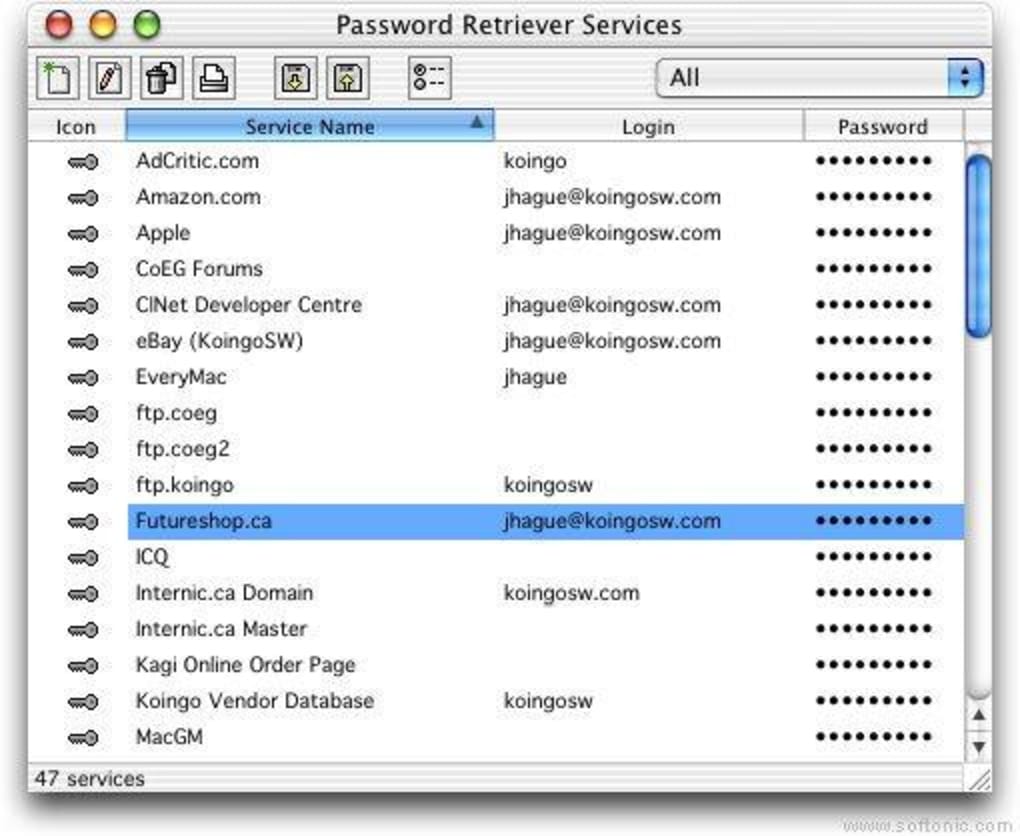
What truly differentiates Password Retriever from the competition is its unlimited field and category system. You can create custom lists—whether it’s a “Travel Wallet” with passport numbers, a “Software Licenses” database, or a “Family Contacts” directory—without hitting any preset limits. The UI allows you to apply personal colour schemes, making it easier to visually separate categories at a glance. Although the import function is modest and does not directly support major password‑manager formats, you can still copy‑paste data or use CSV files to migrate existing entries.
Performance-wise, the tool does experience occasional latency during authentication and while saving data to the central server. This slowdown is typically the result of the encrypted communication channel establishing a secure handshake, especially on slower internet connections. Nevertheless, once logged in, the retrieval speed is snappy, and the app’s lightweight nature ensures it consumes minimal system resources. For users who need a dependable, secure, and uncomplicated password manager, Password Retriever provides a compelling balance of security, customization, and speed.
Features, Installation & Usage – Getting the Most Out of Password Retriever
Key Features (itemprop="featureList")
- 448‑bit Blowfish encryption for all stored data.
- Unlimited custom fields and categories for any type of information.
- Personalizable colour themes for quick visual identification.
- Cloud synchronization across Windows, macOS, Android, and iOS.
- Two‑factor authentication (2FA) support for added security.
- Secure password generator with adjustable complexity.
- Automatic backup and version history for each entry.
- Simple drag‑and‑drop interface for organizing lists.
- Export options in CSV and encrypted JSON formats.
- Integration with popular browsers via lightweight extensions.
Step‑by‑Step Installation & First‑Time Use
Downloading and installing Password Retriever is straightforward. Follow these steps for a hassle‑free setup:
- Download the installer from the official website. The file is available for Windows (.exe), macOS (.dmg), Android (Play Store), and iOS (App Store). Choose the version that matches your operating system.
- Run the installer. On Windows and macOS, double‑click the file and follow the on‑screen prompts. The installer verifies the digital signature to ensure you’re getting a genuine, untampered copy.
- Create your master account. During the first launch, you’ll be asked to set a master password. This is the only password you’ll need to remember, so make it strong—use a mix of uppercase, lowercase, numbers, and symbols.
- Enable two‑factor authentication. For added protection, scan the QR code with an authenticator app (Google Authenticator, Authy, etc.) and enter the generated code.
- Set up your first vault. Click “New List” and give it a name, such as “Banking”. Add fields like “Account Number”, “Routing Number”, and “Notes”. Use the colour picker to assign a distinct hue to this list.
- Sync across devices. Log in with the same master credentials on your mobile phone or tablet. The app will automatically sync your encrypted vault, making your passwords available wherever you need them.
- Import existing data (optional). If you have passwords stored in a CSV file, navigate to Settings → Import, select the file, and map the columns to the appropriate fields. Password Retriever will encrypt the data before storing it in the cloud.
Once installed, everyday usage is intuitive. The dashboard displays all your lists, and a quick search bar lets you find any entry within seconds. Clicking an item reveals the full set of fields, and you can copy passwords to the clipboard with a single tap—automatically cleared after 30 seconds for security. The built‑in password generator can be accessed via the “Generate” button, allowing you to create strong, unique passwords on the fly.
Compatibility, Pros & Cons – Is Password Retriever Right for You?
Supported Platforms (itemprop="operatingSystem")
Password Retriever runs on the following operating systems:
- Windows 10, 11 (64‑bit)
- macOS 10.14 Mojave and newer
- Android 8.0 Oreo and later
- iOS 13 and later (iPadOS compatible)
The cloud‑based architecture ensures that your vault is accessible from any device with an internet connection, while local caching provides offline access to your most recent entries. Sync latency is minimal on broadband connections, but users on slower networks may notice the occasional delay during initial login or large data uploads.
Pros (itemprop="review")
- Robust security: 448‑bit Blowfish encryption and 2FA keep data safe.
- Unlimited customization: No caps on fields, categories, or colour schemes.
- Lightweight design: Faster startup and lower RAM usage than many competitors.
- Cross‑platform sync: Seamless access on Windows, macOS, Android, and iOS.
- Automatic backups: Version history prevents accidental data loss.
Cons
- Import functionality limited to CSV and custom JSON; no direct migration from major managers.
- Authentication and data‑save steps can feel slow on weak internet connections.
- Lacks advanced password‑sharing features for team environments.
- No built‑in secure notes with rich‑text formatting.
- Free tier includes limited cloud storage; premium subscription required for larger vaults.
Frequently Asked Questions (FAQ) – Structured Data
Is Password Retriever truly free to use?
Password Retriever offers a free tier with basic storage and encryption. Advanced features like larger cloud backups, priority support, and premium themes require a paid subscription.
How does the 448‑bit Blowfish encryption work?
All data is encrypted locally on your device before it leaves your computer. The 448‑bit Blowfish key is derived from your master password using PBKDF2, ensuring that even if the server is compromised, the vault remains unreadable without the master key.
Can I use Password Retriever on multiple devices simultaneously?
Yes. After logging in with the same master credentials on each device, the cloud sync keeps every vault up‑to‑date. Changes made on one device propagate to others within a few seconds.
What happens if I forget my master password?
For security reasons, the master password cannot be recovered. Password Retriever provides a secure password reset option that wipes the existing vault, allowing you to start fresh. It is strongly recommended to store your master password in a secure, offline location.
Is there a way to export my data for offline backup?
Yes. The application includes an Export feature that lets you download your vault as an encrypted JSON file or a plain CSV (which you can then encrypt manually). This ensures you always have a portable copy of your passwords.
Conclusion – Secure Your Digital Life with Password Retriever Today
When it comes to protecting the countless credentials we juggle daily, a password manager must be both trustworthy and easy to use. Password Retriever delivers on that promise with top‑tier 448‑bit Blowfish encryption, unlimited customization, and a lean, responsive interface that runs smoothly on Windows, macOS, Android, and iOS. While its import capabilities are modest and occasional server latency can be noticeable, the overall value—especially for users who prefer a straightforward, no‑frills vault—remains high.
If you’re tired of memorizing passwords, writing them down on sticky notes, or relying on insecure browsers, give Password Retriever a try. The free tier lets you experience the core features without commitment, and upgrading to the premium plan unlocks expanded cloud storage, advanced themes, and priority support. Secure your digital identity now and enjoy peace of mind knowing that every login, credit‑card number, and personal note is guarded by industry‑leading encryption.
Ready to protect your accounts? Download Password Retriever today, create your master password, and start building a safer, more organized online life.







